Video creation has traditionally required cameras, lighting, presenters, editing software, and time. Over the last few years, AI video generators have attempted to simplify this process by automating parts of production. Synthesia AI is one of the most widely adopted tools in this category.
This Synthesia AI review examines the platform from a practical and analytical perspective. The goal is not to sell the tool, but to help readers understand how Synthesia works, what it does well, where it falls short, and whether it is a suitable choice for fast and simple video creation.
This article provides an analytical review of Synthesia AI, examining its features, pricing structure, usability, and real-world applications. It explains how the platform works from script to final video, evaluates its strengths and limitations, compares it with leading alternatives, and helps readers determine whether Synthesia is worth using for fast, structured video creation.
What Is Synthesia AI?
Synthesia AI is a browser-based video generation platform that converts written text into videos presented by AI-generated human avatars. Instead of filming a real presenter, users write a script, choose an avatar and voice, and generate a video where the avatar delivers the content.
At its core, Synthesia AI is designed for structured, informational videos. These include training modules, onboarding content, internal communications, product walkthroughs, and educational explainers. The platform focuses on clarity, consistency, and scalability rather than cinematic storytelling or creative experimentation.
Pros and Cons of Synthesia AI
Pros
- Structured and repeatable workflow
The scene-based editor encourages modular thinking and consistent formatting. This makes it easier to produce recurring content such as training modules, onboarding videos, and internal updates without redesigning layouts each time. - Accessible for non-editors
Synthesia AI does not require prior video production experience. Its interface resembles presentation software, which lowers the learning curve and allows teams outside marketing or media departments to create videos independently. - Efficient multilingual production
The ability to generate videos in multiple languages without re-recording presenters reduces localization complexity. This is particularly useful for organizations distributing standardized content across regions. - Template-driven visual consistency
Pre-designed templates promote clean layouts, controlled typography, and predictable scene structure. This supports visual discipline and brand alignment across multiple contributors. - Reduced operational overhead
No filming, lighting, studio setup, or voice recording is required. This simplifies the production process and shortens turnaround time for informational videos. - Predictable output for instructional content
Once a script structure and template are established, results are consistent. For structured communication, predictability can be more valuable than creative variation.
Cons
- Limited emotional and expressive range
AI avatars perform well in neutral, instructional contexts but are less effective in emotionally driven or persuasive storytelling scenarios. - Creative constraints in design flexibility
The platform prioritizes simplicity over advanced motion design. Complex animations, cinematic effects, and dynamic scene transitions are limited. - Usage caps tied to video minutes
Synthesia pricing is based on allocated minutes, which may restrict teams with fluctuating or high-volume production needs. - Heavy reliance on script quality
Video clarity depends significantly on concise writing and thoughtful scene segmentation. Poorly structured scripts lead to crowded layouts and unnatural pacing. - Less suitable for demonstration-heavy content
Physical product walkthroughs or action-based explanations are not a natural fit for a presenter-centered video format.
Synthesia AI vs Other AI Video Generators
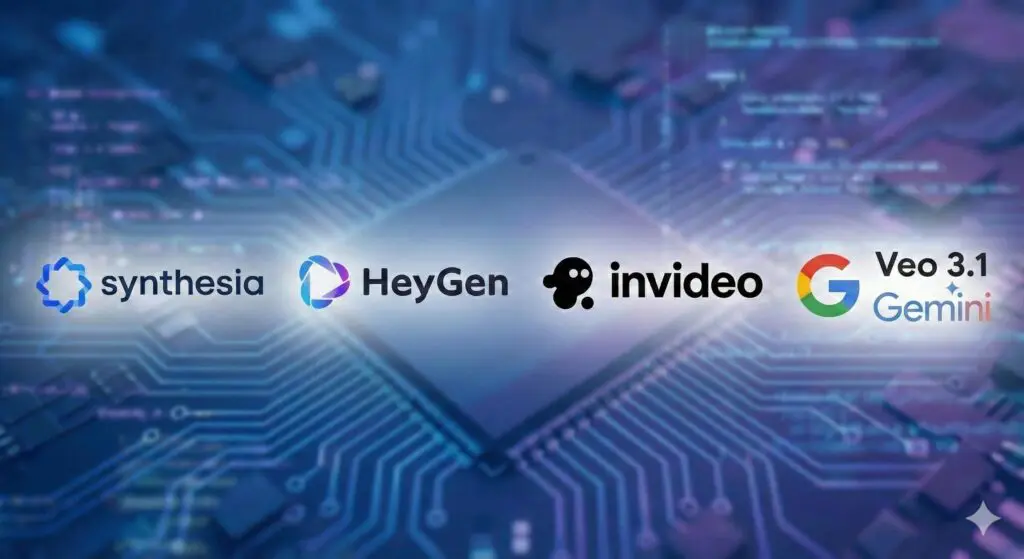
Feature | Synthesia AI | HeyGen | Veo 3.1 | InVideo AI |
Avatar-based presenter | Yes | Yes | No | No |
Cinematic generation | No | Limited | Yes | Moderate |
Multilingual strength | High | Moderate | Unknown | Moderate |
Best for | Training & structured videos | Social & creators | Creative visuals | Marketing clips |
Key Takeaways: Synthesia AI Alternatives
- Synthesia AI is best suited for structured, presenter-led videos where clarity, consistency, and speed are priorities, such as training, onboarding, and instructional content.
- HeyGen follows a similar avatar-based model but offers more flexibility in presentation style, which may suit creator-oriented or less formal workflows.
- Veo 3.1 (Gemini) focuses on generative and cinematic video creation, making it more appropriate for visually driven storytelling rather than presenter-based communication.
- InVideo AI is optimized for fast, visually dynamic marketing and social media videos, but is less suitable for formal, structured narration.
- Overall guidance: choose Synthesia AI when a consistent digital presenter is required, and consider alternatives when creative expression or social-first formats are the main goal.
Synthesia AI Features Explained
AI Avatars
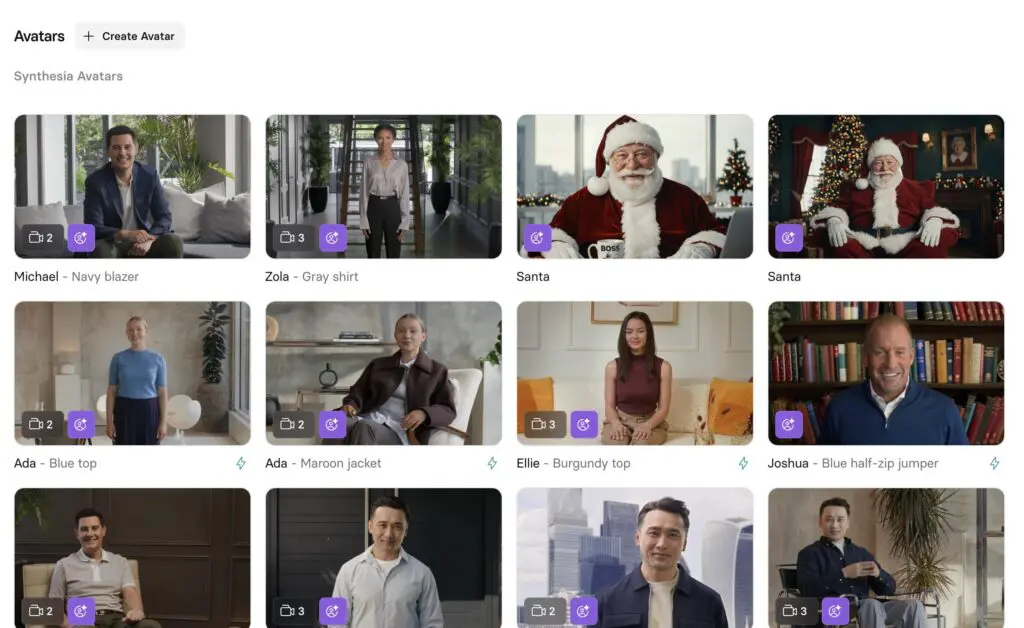
Synthesia offers a large library of AI avatars representing different ages, ethnicities, and professional appearances. These avatars are designed to deliver scripted content clearly and consistently.
Avatar realism has improved over time, particularly in facial detail and lip synchronization. However, emotional range remains limited. Avatars perform best when delivering neutral, instructional content with steady pacing. Subtle emotional cues, humor, or dramatic emphasis are not a strength of the platform.
Higher-tier plans allow users to create personal or custom avatars by recording a short video of themselves. This feature is useful for organizations that want a consistent on-screen presence without repeated filming.
AI Voices and Voice Cloning
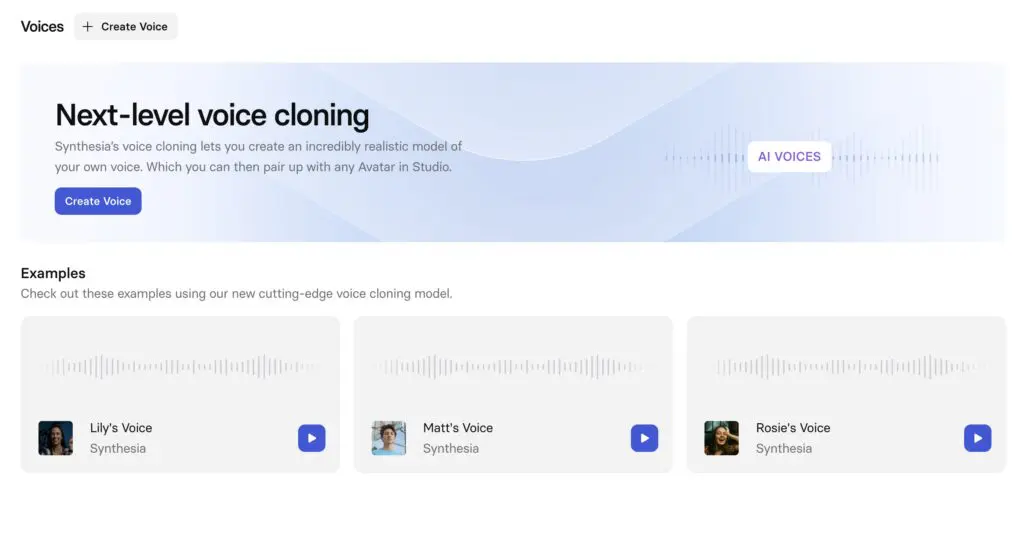
Synthesia AI includes a broad selection of AI voices with different accents and tonal qualities. Voice delivery is generally clear and intelligible, especially when scripts are written with concise sentences and natural punctuation.
Voice cloning is available on higher plans. This allows users to replicate a specific voice for consistent branding. While useful, voice cloning requires careful script review to avoid pronunciation issues and unintended emphasis.
Languages, Subtitles, and Translation
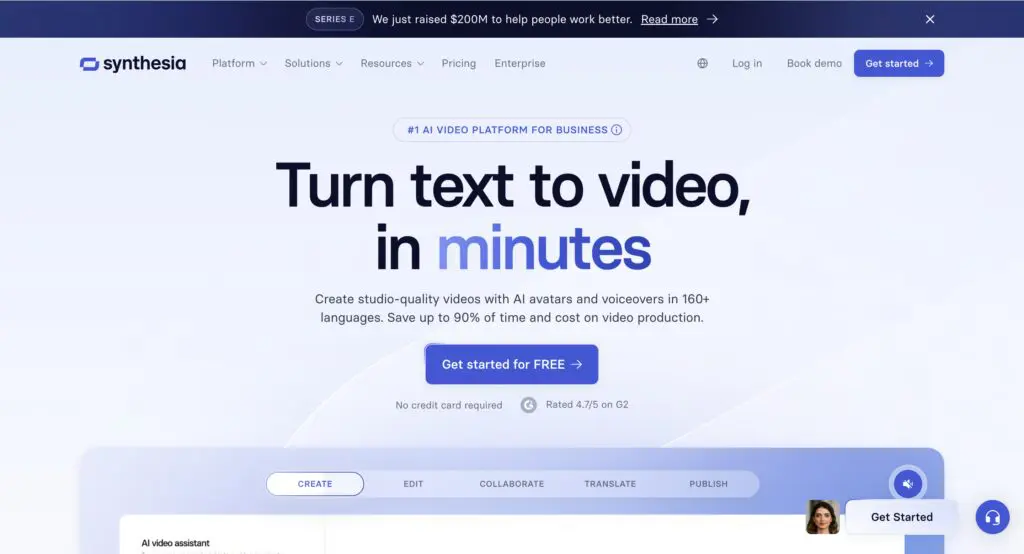
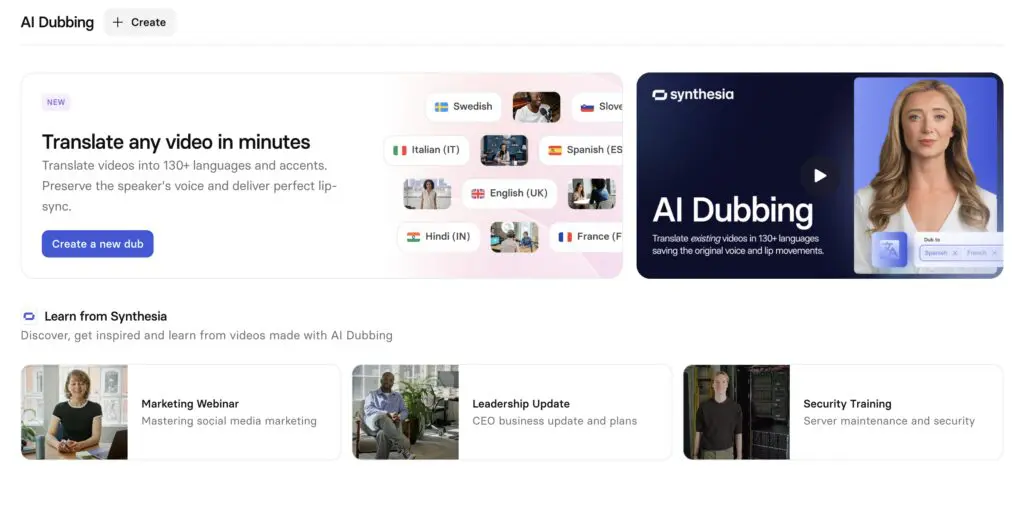
One of Synthesia AI’s strongest features is multilingual support. The platform supports over 140 languages and accents, making it suitable for global organizations.
Videos can be translated efficiently by reusing the same structure and avatar while changing the language. Subtitles can be generated automatically, which is often sufficient for internal or support content.
Despite automation, human review remains advisable for translated content involving technical terminology, brand names, or regulated messaging.
Templates and Customization
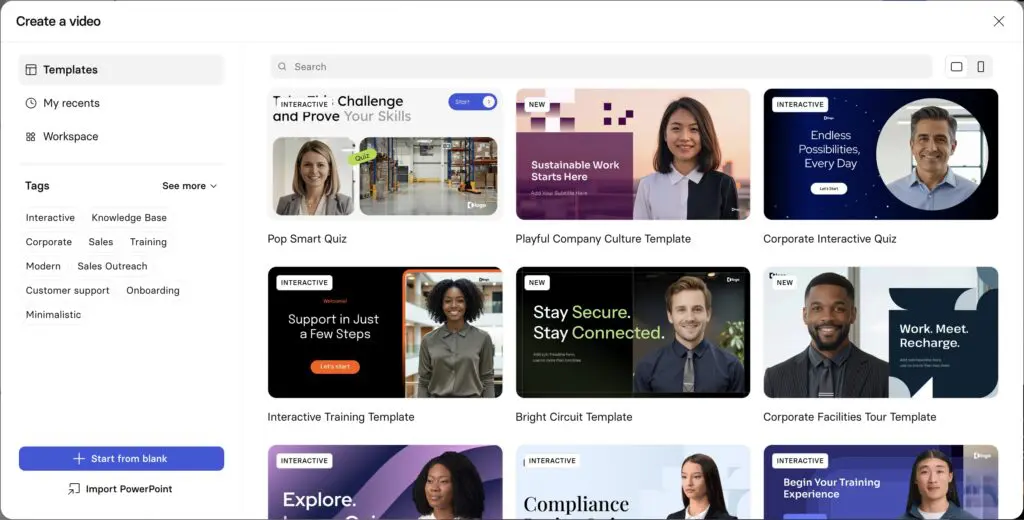
Synthesia provides a large collection of templates designed for specific use cases. Templates standardize layout, typography, and spacing, which reduces design overhead.
Customization focuses on essentials such as brand colors, fonts, logos, and background visuals. Advanced motion graphics and complex animations are intentionally excluded. This design constraint supports consistency and faster production rather than creative flexibility.
Editor and Ease of Use
The editor uses a scene-based interface that resembles presentation software. This makes the learning curve shallow for users familiar with slide decks.
Editing is limited to layout adjustments, text changes, and asset placement. This limitation can be restrictive for advanced users but beneficial for teams prioritizing speed and uniformity.
How to Create Better Videos with Synthesia AI
- Write for short, clear scenes.
Keep each scene focused on a single idea. Short sentences and simple phrasing improve pacing and reduce the risk of crowded visuals or rushed delivery. - Control pacing through punctuation.
Use periods and commas intentionally to guide pauses and rhythm in voice delivery. Avoid long compound sentences that can sound unnatural when spoken by AI voices. - Limit on-screen text
On-screen text should support what is being said, not repeat the full script. Headings and short supporting lines work better than full paragraphs. - Maintain consistent layout across scenes.
Keep text placement, avatar position, and visual hierarchy consistent. This reduces cognitive load and helps viewers focus on the message rather than adjusting to new layouts. - Choose simple, low-noise backgrounds.
Neutral backgrounds with sufficient contrast improve readability and keep attention on the avatar and message rather than the visual environment. - Use templates to enforce design discipline.
Starting from templates helps maintain spacing, alignment, and typographic hierarchy, especially when creating multiple videos with a similar structure. - Review pronunciation and timing before final generation.
Preview videos to catch mispronounced terms or pacing issues, particularly for brand names, acronyms, and technical vocabulary. - Break longer videos into sections.
For videos longer than a few minutes, use clear scene groupings or visual separators to maintain flow and prevent viewer fatigue.
Branding and Reuse for Faster Production
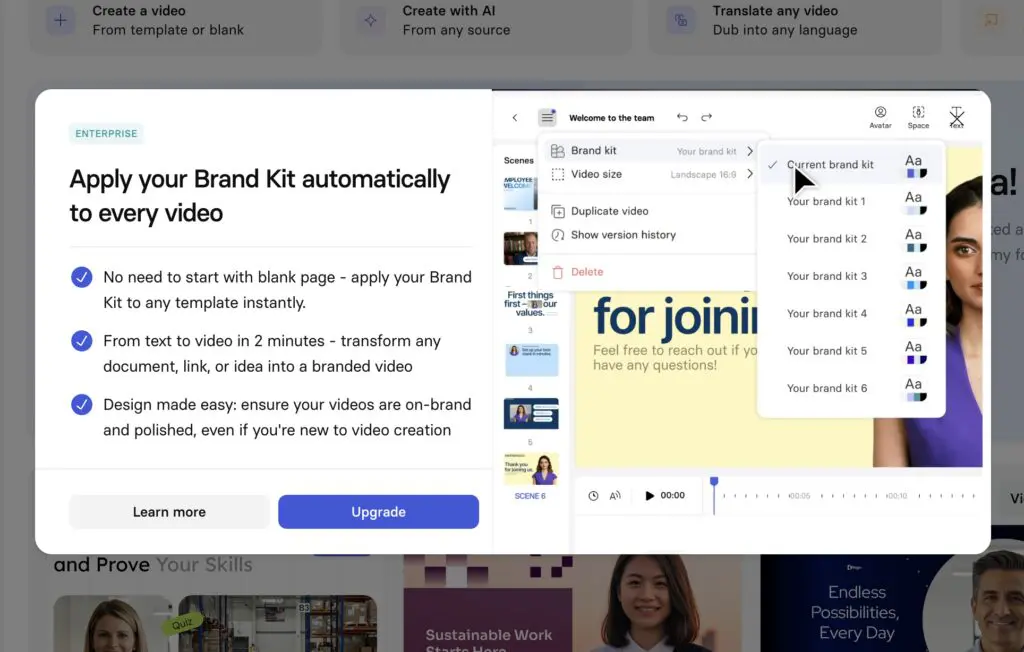
Brand kits allow organizations to standardize logos, colors, and fonts across videos. Once configured, these settings can be applied automatically to new projects.
Reusable templates further reduce production time. Teams that create recurring content, such as training modules or updates, benefit significantly from template reuse.
Organizing assets in the library ensures faster turnaround for future videos and minimizes inconsistencies.
Synthesia Pricing Explained
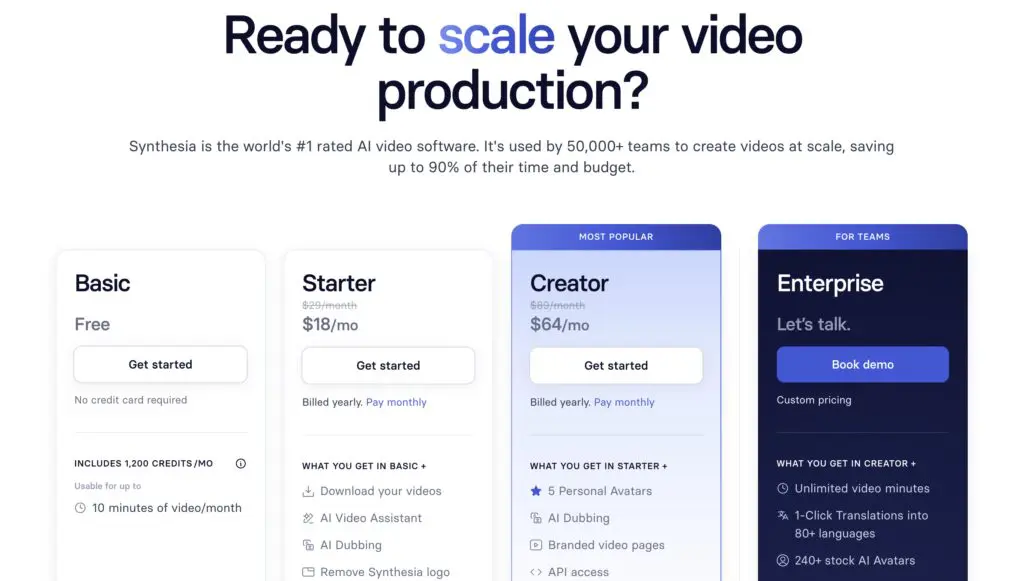
Synthesia pricing is structured around annual video minutes rather than unlimited usage.
The free plan allows limited video creation with a watermark and restricted features. It is primarily intended for evaluation.
Paid plans increase available minutes, unlock additional avatars, and enable branding features. Higher tiers provide access to voice cloning, custom avatars, and enterprise-level controls.
Because minutes are capped annually, Synthesia pricing favors predictable usage patterns. Teams with fluctuating or high-volume needs should evaluate minute consumption carefully.
Is Synthesia Free?
Yes, Synthesia offers a free plan. However, the free version is limited in terms of video length, avatar selection, and export options. Videos generated on the free plan include a watermark.
The free plan is best used as a trial to understand the workflow and output quality rather than for ongoing production.
Is Synthesia Worth It?
Whether Synthesia is worth it depends on the type of videos being produced.
For organizations creating training, onboarding, or informational videos at scale, Synthesia offers significant efficiency gains. The cost is often lower than traditional production, especially for multilingual content.
For marketing teams seeking emotional engagement or creative storytelling, Synthesia may feel restrictive. In those cases, traditional video or more flexible AI tools may be a better fit.
Synthesia delivers value when clarity, consistency, and speed are the primary goals.
Final Verdict
This Synthesia AI review shows a platform designed for efficiency rather than creativity. Synthesia simplifies video production by removing filming, editing, and localization barriers.
For teams and individuals who need to generate clear, professional videos quickly, Synthesia is a practical and reliable tool. For projects that require emotional nuance or advanced visuals, alternative solutions may be more appropriate.
The best way to evaluate Synthesia is to create a short video using a template and assess whether the output meets your expectations for clarity and speed.