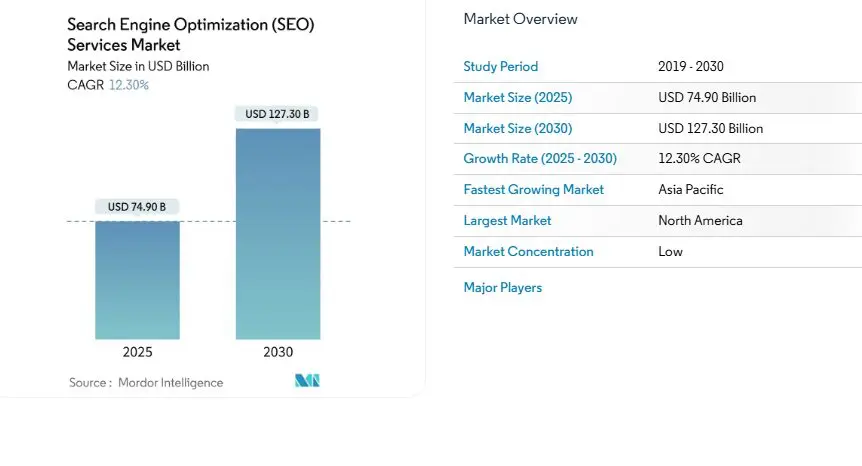
The search engine optimization industry is growing fast. The SEO services market was valued at $74.9 billion in 2025 and is expected to reach $127.3 billion by 2030, climbing at a steady 12.3% CAGR. With that level of growth, SEO work is becoming more competitive, more data-driven, and a lot more demanding.
To stay competitive, marketers and SEO professionals rely on a mix of tools that speed up research, simplify audits, and make everyday tasks more efficient. Many agencies further enhance their capacity by leveraging white label SEO services to handle specialized fulfillment. Alongside these services, Chrome extensions have become a big part of that toolkit because they deliver useful insights right inside the browser without slowing down the workflow.
In this guide, you’ll find the extensions that consistently proved the most helpful during testing and made a real difference in handling on-page checks, keyword research, and SERP analysis.
What Are Chrome Extensions for SEO?
SEO Chrome extensions are small add-ons that bring SEO data directly into the browser. Instead of running separate tools or opening multiple dashboards, they put keyword insights, page metrics, technical checks, and SERP data right inside the pages already being viewed.
Different types of SEO extensions help with different tasks. Some focus on keyword research from inside Google search results, others highlight on-page SEO elements, and some provide deeper SERP or competitor insights. Many SEO specialists depend on browser-based tools because they cut out extra steps and make routine checks far faster, especially during audits or content planning.
How We Selected the Top 5 SEO Chrome Extensions
These five extensions were chosen based on how they performed during hands-on testing, day-to-day SEO tasks, and broader comparisons across popular industry resources. The focus was on tools that consistently delivered accurate data, loaded quickly, and didn’t complicate simple checks with needless features.
The selection also considered how each extension stacked up against recommendations from well-known sources like Backlinko, AIOSEO, and GoFishDigital. Both free and paid options were reviewed, but only extensions that offered strong value in their free versions were included.
The goal was to highlight Chrome SEO extensions that actually make SEO work faster, smoother, and more reliable.
The Top 5 Chrome Extensions for SEO (Ranked for 2026)
During testing, the extensions that stood out were the ones that kept things simple, surfaced the right information at the right time, and didn’t get in the way. The tools listed below earned their spots because they consistently made core SEO tasks faster and more accurate, especially when juggling audits, researching keywords, or reviewing competitors.
1. Detailed SEO Extension
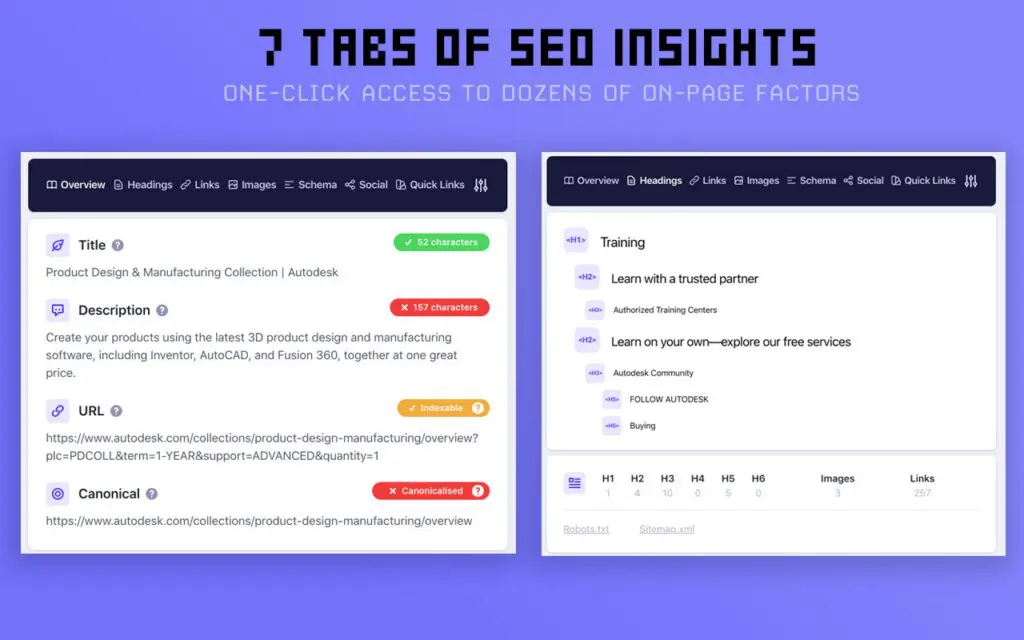
Detailed SEO Extension provides instant on-page SEO information for any webpage. It displays titles, meta descriptions, indexing and canonical details, and other essential elements without requiring users to inspect source code. It is designed for quick, clear, and accurate SEO checks during audits or competitive research.
Key Details
- Rating: 4.9 / 5
- Reviews: 214
- Users: 500,000+
- Website: https://detailed.com
- Provides: Fast on-page analysis, title and meta extraction, robots and indexing visibility
Testing Results
During testing, this extension stood out immediately. It pulled up every important on-page detail in seconds and made quick audits feel effortless. The layout was clean, nothing felt buried, and it was easy to jump between pages while keeping track of the essentials. It became the tool reached for first when checking titles, meta tags, and basic SEO health.
2. Keyword Surfer
Keyword Surfer displays search volume, CPC estimates, keyword suggestions, and related terms directly in Google search results. It helps streamline keyword research by surfacing data inside the SERP without switching between tools. Users can also save keyword collections and export them as CSV files. The extension also integrates with ChatGPT for content refinement and humanization scoring.

Key Details
Testing Results
Keyword Surfer proved especially useful when doing fast keyword research right inside Google. Search volume and keyword ideas popped up instantly, which made it easy to spot opportunities while browsing. Saving keywords into collections helped keep ideas organized, and the CSV export made it simple to use them later. It also helped shape content ideas on the fly during research sessions.

Key Details
- Rating: 4.5 / 5
- Reviews: 2,600+
- Users: 1,000,000+
- Website: https://www.seoquake.com
- Provides: SERP metrics, SEO audits, keyword difficulty, link reports, keyword density analysis
Testing Results
SEOquake felt like a solid all-purpose tool during testing. The SERP overlay was immediately helpful for seeing how competitive a niche was without opening dozens of tabs. The ability to export data came in handy for quick competitor comparisons. The page audits weren’t overly complex, but they gave enough information to catch basic issues without running a full crawl.
4. Redirect Path
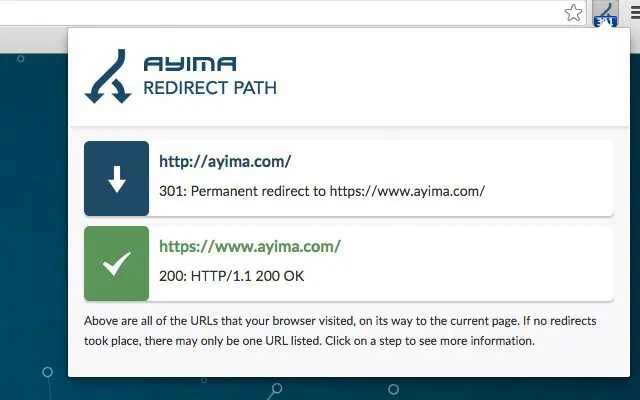
Redirect Path identifies server-side and client-side redirects including 301, 302, 404, 500, JavaScript redirects, and meta refreshes. It also displays HTTP headers and server IP information. The tool helps uncover redirect chains and potential technical issues that may affect crawling and indexing.
Key Details
- Rating: 4.4 / 5
- Reviews: 195
- Users: 300,000+
- Website: https://www.ayima.com
- Provides: Redirect detection, HTTP status codes, header information, IP address details
- EULA: Link
Testing Results
Testing showed that this extension caught redirect issues instantly. Every time a URL had an extra hop, a soft redirect, or a hidden JavaScript redirect, it flagged it right away. This saved a lot of guesswork when checking landing pages or following long redirect chains. It was especially helpful during audits where URL consistency was a problem.
5. Ubersuggest – SEO and Keyword Discovery
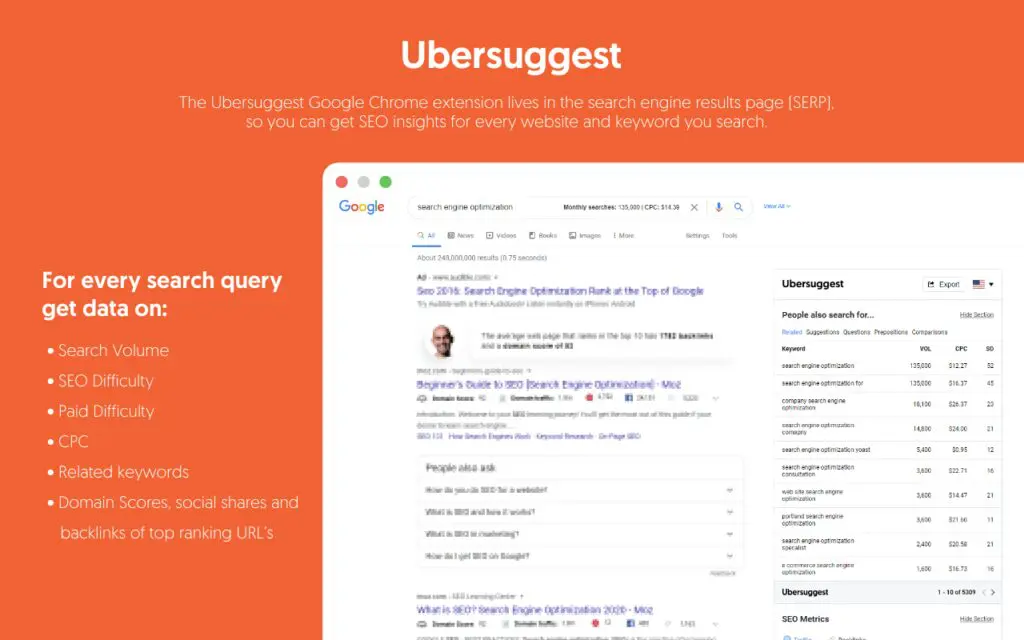
Ubersuggest provides keyword search volume, CPC, competition levels, and trend data directly within Google, YouTube, and Amazon. It also shows traffic estimates, top pages, backlink metrics, and domain authority for websites. The tool supports keyword research across multiple platforms and offers quick competitive insights.
Key Details
- Rating: 4.4 / 5
- Reviews: 1,000+
- Users: 700,000+
- Website: https://ubersuggest.com
- Provides: Keyword metrics, trend charts, site insights, backlink data, top pages, YouTube and Amazon keyword information
Testing Results
Ubersuggest was helpful when checking keywords across different platforms, not just Google. Seeing keyword data show up in YouTube and Amazon searches made research feel more complete. The traffic and backlink snapshots were useful for getting a quick read on how strong competitors were. It became a convenient way to get lightweight insights without opening the full Ubersuggest dashboard.
Bonus: 3 Free SEO Tools That Work Well With These Extensions
These free tools pair naturally with the Chrome extensions above. They help confirm data, fill gaps the extensions do not cover, and provide deeper context when analyzing domains, keywords, or competitors.
Website Authority Checker (Semrush)
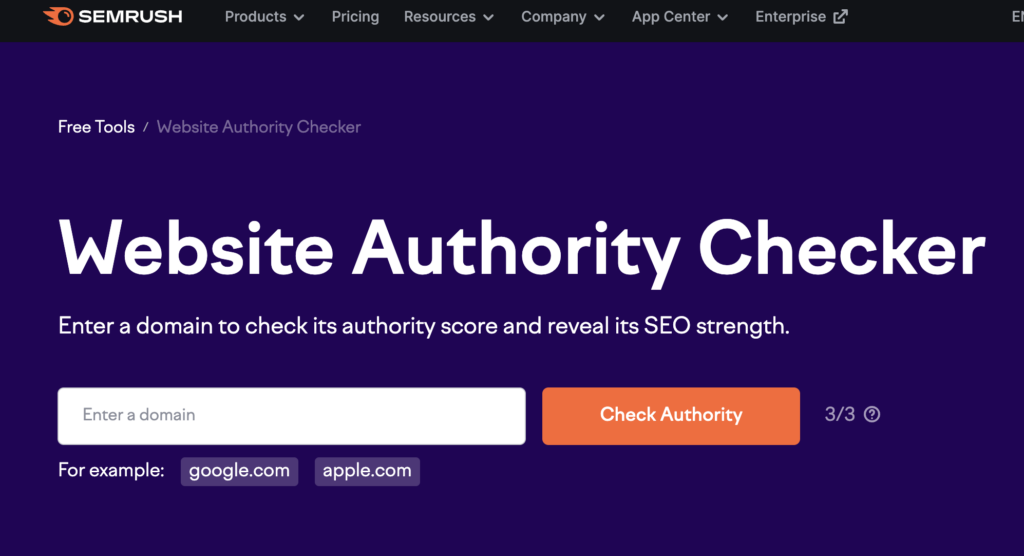
This tool helps quickly measure how strong a domain is before diving deeper into competitor analysis. It complements extensions like SEOquake or Detailed SEO Extension by confirming how authoritative a site is outside of the browser-level metrics. It’s especially useful when assessing backlink profiles or judging a site’s overall strength.
Ahrefs Traffic Checker

While extensions like Ubersuggest show traffic snapshots inside the browser, Ahrefs Traffic Checker gives a more complete look at a site’s estimated traffic trends. It helps validate whether competitors really get the volume they appear to in SERPs and offers a solid reality check during keyword planning or niche research.
Ahrefs Keyword Difficulty Checker

Many Chrome extensions show search volume and related keywords, but they don’t always provide clear ranking difficulty. The Ahrefs Keyword Difficulty Checker fills that gap by giving a quick sense of how competitive a keyword really is. It works well alongside Keyword Surfer or Ubersuggest when deciding whether a keyword is worth pursuing.
Find Out What’s Stopping You From Ranking Higher
A big part of improving rankings comes down to understanding what’s holding a site back in the first place. Technical issues, weak on-page elements, poor internal linking, and redirect problems often sit unnoticed until a deeper audit exposes them. That’s why technical SEO audits remain one of the most reliable ways to uncover gaps that content or backlinks alone cannot fix.
This is also where SEO Chrome extensions become genuinely useful. Tools that check redirects, analyze page structure, highlight indexing issues, or surface on-page data make it easier to spot problems quickly without running a full crawl every time. Extensions built for SEO audits and on-page reviews help catch issues in real time, whether looking at a competitor’s page or reviewing your own content before publishing.
When these insights are combined with a proper technical audit, it becomes much clearer why certain pages aren’t ranking and what needs to be fixed to move them forward.
Work With SEO Specialists Who Know What Actually Works
While browser tools and extensions make SEO work faster and more efficient, the real results come from specialists who can interpret the data, prioritize fixes, and build an SEO strategy that fits the business. If you want support from people who work with these tools daily and understand how to turn insights into growth, Buzzcube’s SEO team can help.
Buzzcube offers hands-on SEO services backed by real testing, clear processes, and the experience needed to uncover what’s slowing your rankings down. For businesses that want more than tools and need an actual strategy, working with experts can make all the difference. Schedule a free consultation today.